
Overview
This is a demo of SalesForce Order Transform, it simply uses java multi-threading and activemq(in google engine cloud) to simulate an full transformation process including message inbound, transformation and outbound.
The same transformation can easily migrate to different integration platforms, etc Apache Camel, MuleSoft or Oracle Integration Cloud, or simply use the UI tool to do the same
A summarize diagram on the whole process

This is part of the omni-channel supply chain demo
Suppose we have 2 Sales Order platform, 1 is SalesForce and 1 is Shopify, we can transform different Orders to a standard format (etc, Oracle Cloud format), and then import to ERP.
In this Demo we only transformed SalesForce Order, it will be similar to Shopify Order except we uses REST API to pull down the Order
Following are the parts covered in the Demo
- Get Orders from SalesForce using web service (Proxy Client)
- Transform SalesForce order to standard sales order format using xslt template
- Export to a folder – we can change this to import to Oracle ERP Cloud
Test Result
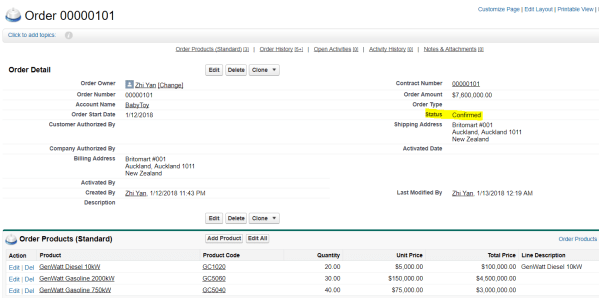
We create a new Order In SalesForce, and change its Status to ‘Confirmed’, since the program only pulls down orders that is ‘Confirmed’
After some time, the program automatically pull it down, transform it and put it to local folder


Detail of the project
Project Structure
We have 3 java classes implemented runnable interface

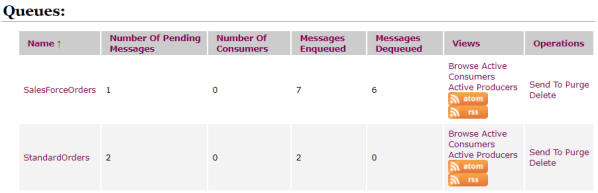
We use ActiveMQ for this project, 2 queues were created
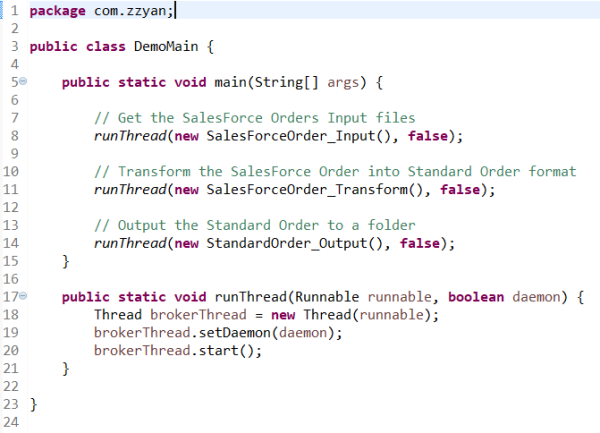
DemoMain.java
It starts 3 threads for the project
- SalesForceOrder_Input thread, it monitors the SalesForce system, pull down Orders with ‘Confirmed’ status and send to Queue “SalesForceOrders”
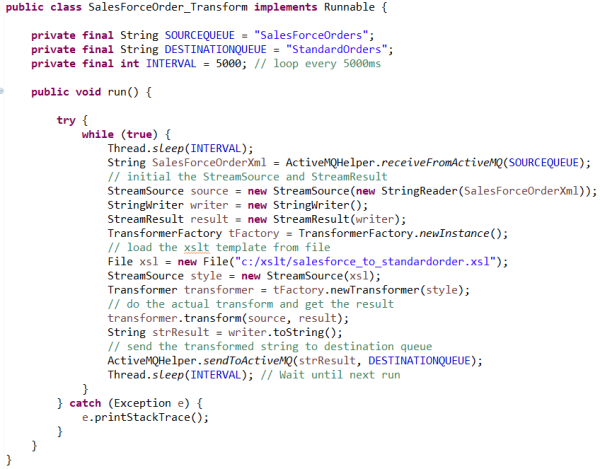
- SalesForceOrder_Transform thread, it fetch the files in Queue “SalesForceOrders”, uses xslt to transform the SalesForce Order to a standard sales order format, and send the output to Queue “StandardOrders”
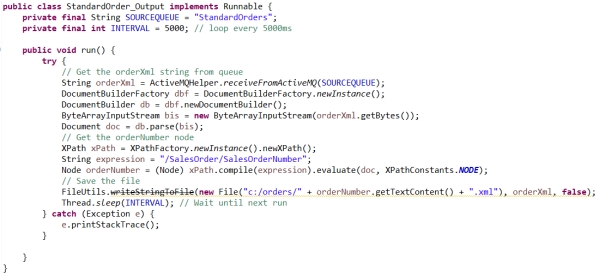
- StandardOrder_Output thread, it fetches the Order file from Queue “StandardOrders”, and create the Order file in the file system
SalesForceOrder_Input.java
It pulls down the Order and put it to queue “SalesForceOrders”


SalesForceOrder_Transform.java
This thread transforms the file using following xslt and files
Transform Detail
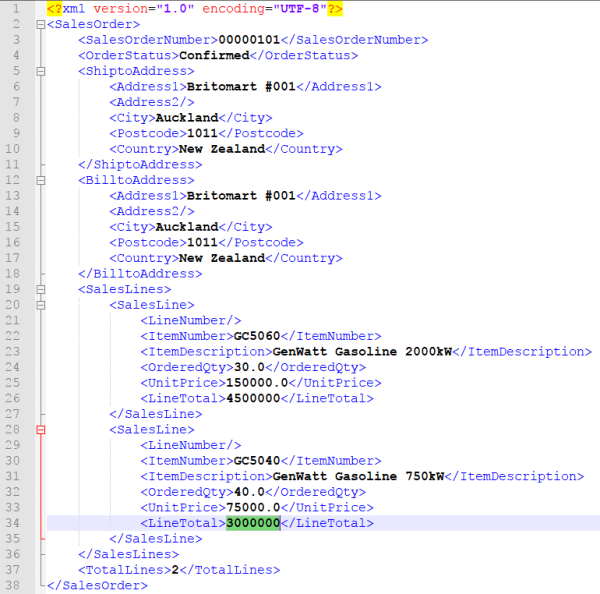
Following is the standard sales order format we want to convert to

We create a xslt template based on the standard sales order format
Inside the xslt template, we do followings
- We defined a variable ‘LinesCount’, and used xpath to calculate the total lines after transform, note we ignored Item ‘GC1020’
- We defined a loop to loop each Item, but ignored ‘GC1020’, suppose it’s a price only SKU and we don’t want it in the order to warehouse
- We used a multiply function to calculate the LineTotal
- We output the ‘LinesCount’ variable

After transformation, we got following output, which is same as expectation
StandardOrder_Output.java
Fetch the transformed order from queue and save it to local system
ActiveMQHelper.java
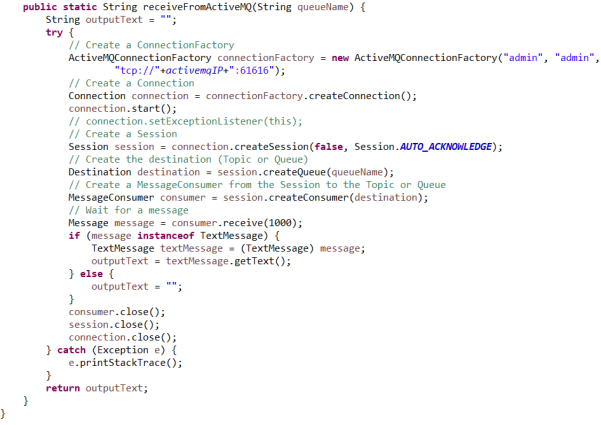
Help to send message and get message from ActiveMQ

 Zhi Yan Blog