
Starshipit is commonly used by many businesses in NZ.
So I got a small requirement, I want to automatically create a label, how can I do that?
Well, Starshipit do have its integration APIs, so we can use it to create labels.
Let’s try it out. Following is the API url just incase you need.
https://www.starshipit.com/integrations
We need to create a developer account in the website
After verifying your email, you are all good to go.
To be able to test out the API, we need an Starshipit API key, to get this, we need an Starshipit account
https://developers.starshipit.com/api-key
Use following url to start setting up an Starshipit account
How to setup a Starshipit account
Now you should be able to get the API key required to access the API
Click the Generate button in StarshipIt setup, and you should get the API key
Url: https://app.starshipit.com/Members/Settings/Api2.aspx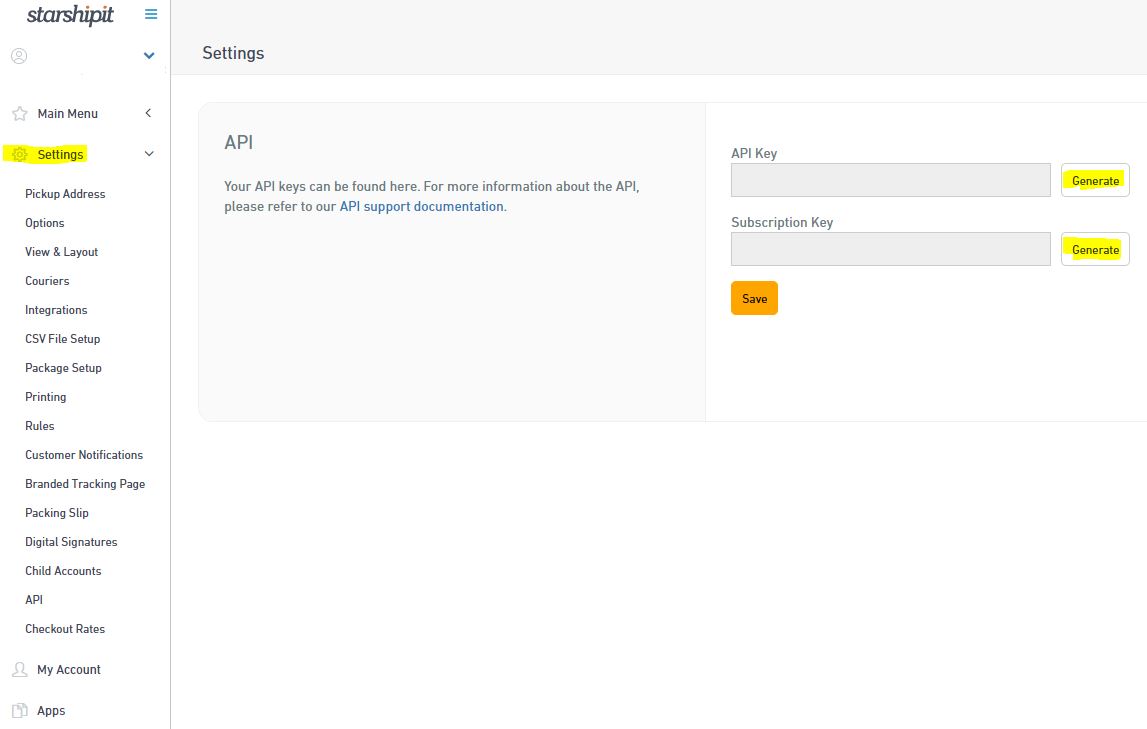
Also you should get your developer key
Url: https://developers.starshipit.com/developer
Click the User profile on the right top of the header bar if you don’t see it
Ok, now you should have following keys ready and handy before doing the API testing based on the Startshipit settings page and the developer profile page
API Key, Subscription Key, Primary Key, Secondary Key
Go to Create Order page on the API Reference you should see following page relate with the API
It shows the API url, and what you should put on the Request Headers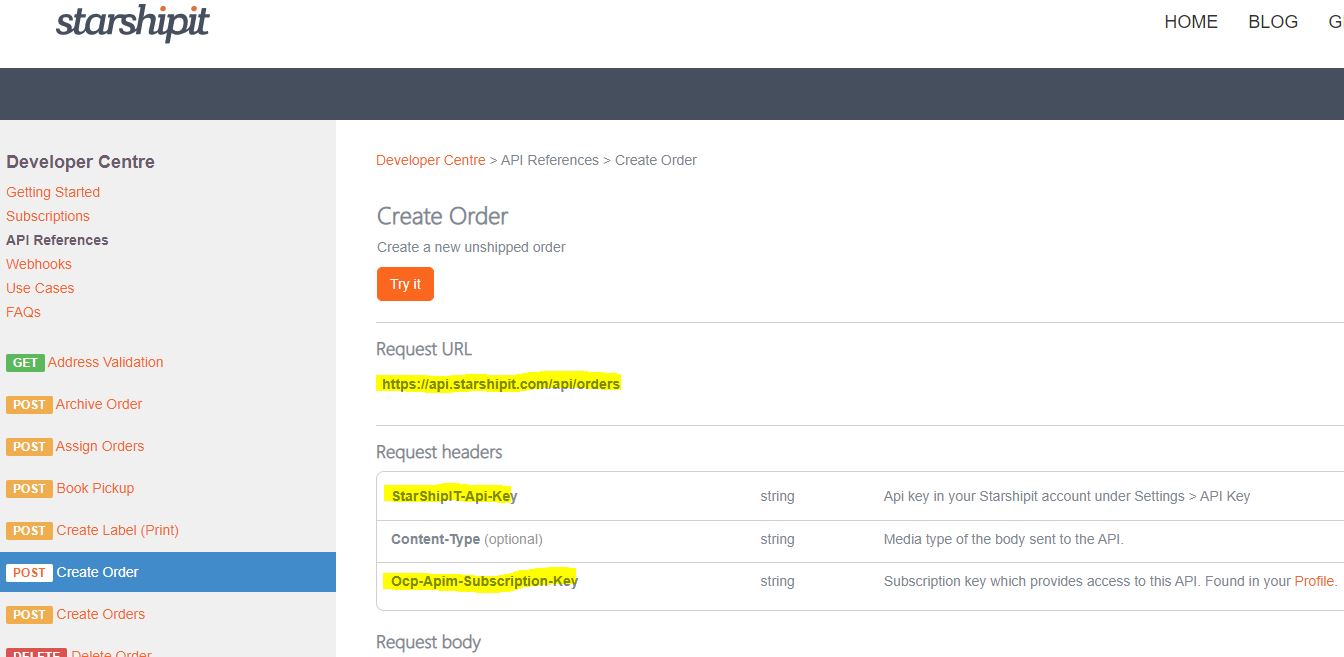
Click the “Try It” button, you should be able to try out the Create Order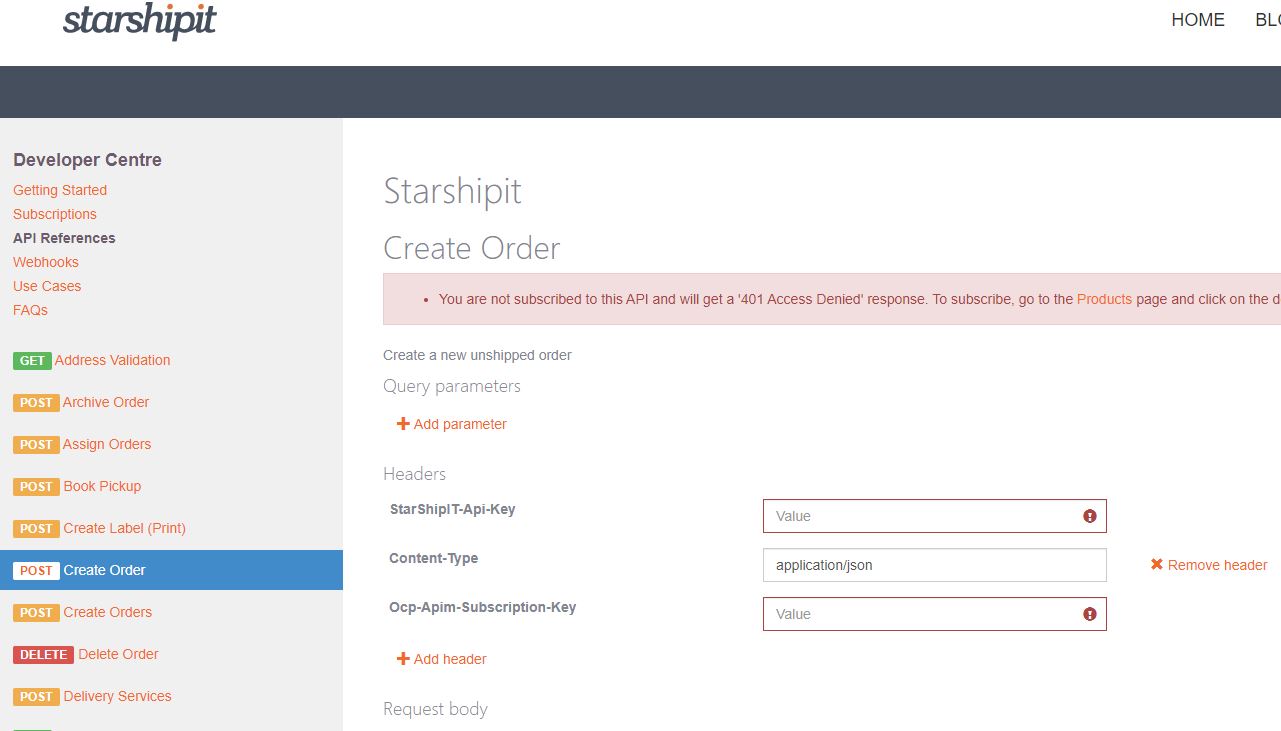
Fill in your key information that’s required.
StarShip T-api-key: this is the API Key you got earlier from the Settings page
Ocp-Apim-Subscription-Key: this is the primary key you got earlier from the developer profile page
Now try to click the “Send” button at the bottom of the page, it should receive a 200 feedback
This means the API connection and call out works fine.
Now we try to do the same thing using PostMan on our own laptop
Setup PostMan Post request and the header as following, Please enter your own API key and Primary key
Setup the Body as following, and click the “Send” button
If everything works fine, you should receive a “200 OK” response from the Starshipit server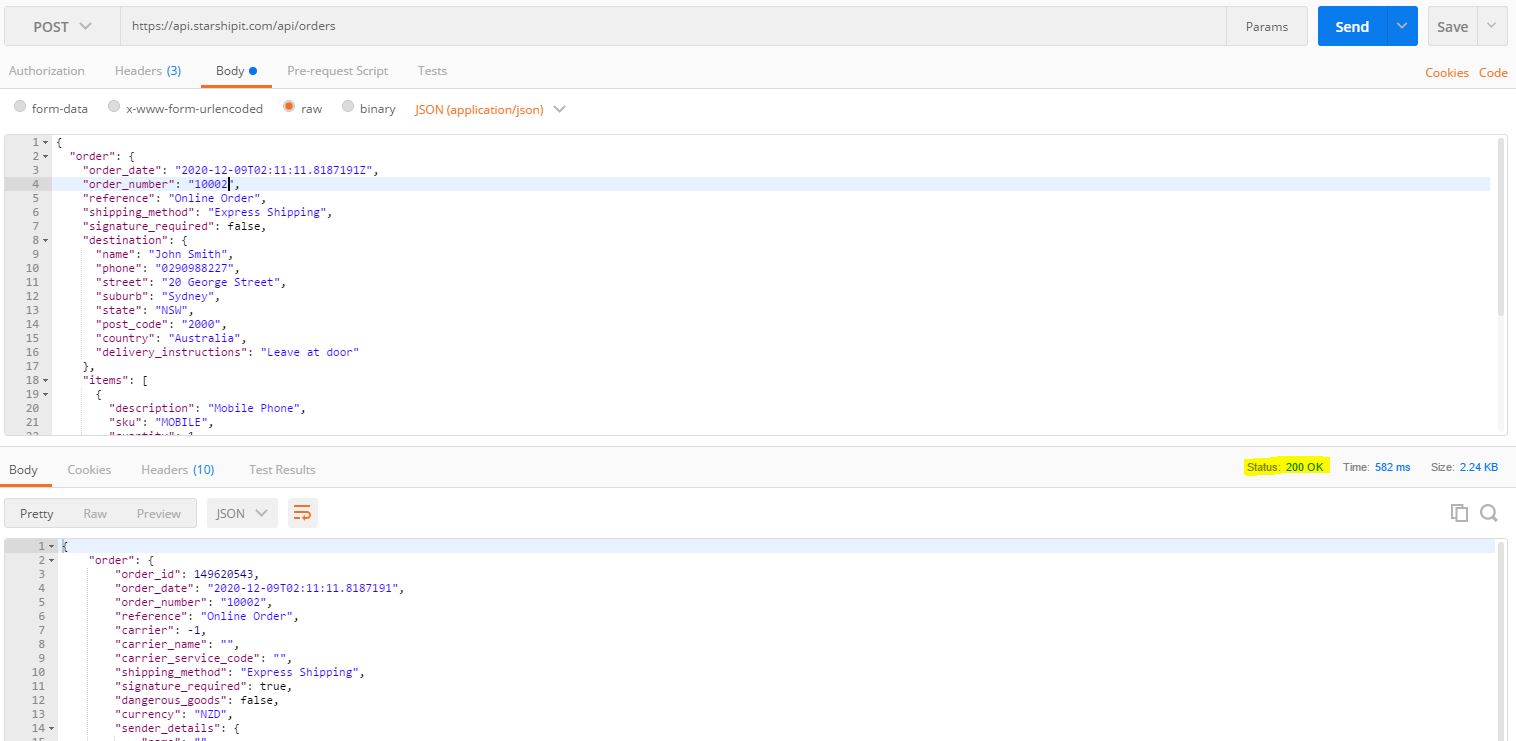
Congratulations, you have successfully create an Order in Starshipit
So now you can continue to use the same API setup and the API Reference to do other API calls to Starshipit.
Enjoy!
 Zhi Yan Blog